



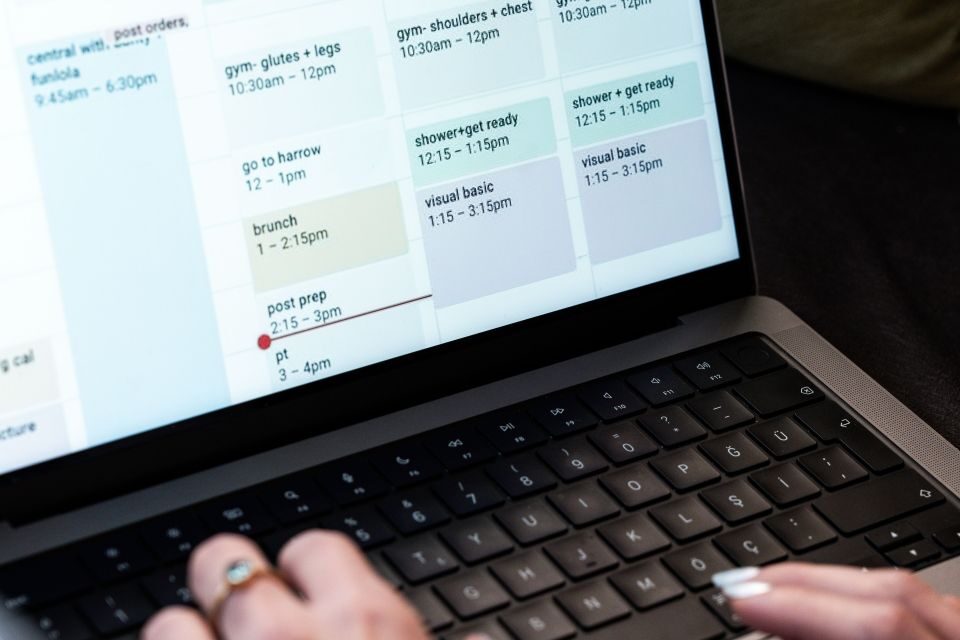
Scheduling a meeting for your team mates or delegates should be simple. But in reality, it can involve multiple emails, conflicting commitments and attendees based in different time zones. For PAs and EAs managing busy diaries, that can quickly become another time-consuming task.
The right meeting scheduling tools can take much of this work off your plate. From checking availability and suggesting suitable times to handling group meetings and automatic calendar updates, the aim is simple: spend less time arranging meetings and more time getting on with everything else. To no one’s surprise, the growing presence of AI tools means that scheduling meetings can be now almost completely automated.
What should meeting scheduling tools actually do?
The right tool depends on what you actually need it to do. A good scheduling tool should do more than simply provide a booking link. It should make it easier to find a time that works for everyone while keeping the calendar accurate.
Look for features such as:
- Real-time calendar availability
- Integration with Google Calendar or Microsoft Outlook
- Custom working hours and availability rules
- Buffer time between meetings
- Group scheduling
- Automatic time zone detection
- Meeting reminders and confirmations
- Protection against double bookings
- The ability to manage more than one calendar or executive
The more complex your diary management needs are, the more important these features become.
Calendar integration is essential
If you’re using diary management software, it needs to work with the calendars you already use. Otherwise, you’re simply adding another system to keep updated.
Many scheduling platforms can be integrated with Google Calendar and Microsoft Outlook, allowing them to check existing commitments and show only genuinely available slots. Some can also connect multiple calendars, which can be particularly useful if you manage both work and personal calendars or support several executives.
Look for two-way syncing where possible. If a meeting is added to an executive’s calendar, that time should automatically become unavailable for new bookings. Likewise, a meeting booked through the scheduling tool should appear in the relevant calendar without you having to add it manually.
Look for flexible availability rules
Not every free space in a diary is necessarily suitable for a meeting – people might prefer to have no meetings before 9am, need an hour for lunch or want a short break between calls. A useful scheduling tool should allow you to set preferences in the system rather than simply showing every available slot.
Look for options such as:
- Preferred working hours
- Minimum notice before a meeting can be booked
- Maximum number of meetings per day
- Meeting duration
- Buffer time before or after meetings
- Days or times when meetings cannot be booked
This is where good executive assistant software can make a real difference. Once the rules are set, the tool can handle the basic scheduling decisions without you having to check every diary manually.
Group meetings and different time zones
Finding a time in the diary for two people is relatively easy, but finding one for a group of people across different countries is another matter. If you’re regularly organising meetings with multiple attendees, choose a tool that can look at everyone’s availability and preferences and identify suitable slots. This can save a considerable amount of time compared with sending out a list of suggested times and waiting for everyone to respond.
Time zones are equally important for EAs working with international executives, clients or teams. The best tools display meeting times according to each attendee’s local time, reducing the risk of someone accidentally joining at the wrong hour.
Privacy matters
As someone who manages an executive’s diary, you’re likely dealing with information that shouldn’t be visible to everyone who receives a booking link. This is particularly important if they use the same calendar for both work and personal appointments.
Before choosing a scheduling platform, check what calendar information it can access and what people booking a meeting can actually see. Ideally, invitees should only see available and unavailable times rather than the details of private appointments.
Most of the time, you can manage these settings directly within the tool, but it’s worth checking exactly how it works before you commit. Calendly, for example, says its scheduling system checks calendar availability without exposing calendar contents to invitees.
It’s also worth checking your organisation’s data protection and IT requirements, particularly if you’re using the tool to manage senior executives’ calendars.
Managing multiple executives
If your job involves supporting several executives or employees, your requirements will be slightly different from someone managing their own diary. You may need to create separate availability rules for each person, switch between calendars quickly and send different scheduling links depending on who the meeting is with. Some tools also offer collective scheduling, allowing availability from several people to be combined.
Before committing to a platform, test how easy it is to manage multiple calendars and whether you can keep each executive’s preferences separate. A tool that works perfectly for one diary may become cumbersome when you’re managing five.
The right tool should save you time
Remember, the point of meeting scheduling tools is that they should save you time and remove work from your day. Before committing to one, check: Does it integrate with our existing calendars?
-
Can I control exactly when meetings can be booked?
-
Can it manage multiple attendees and time zones?
-
Can I use it across several executives?
-
Does it keep private calendar information private?
-
Will it reduce email back-and-forth?
-
What happens when a meeting is cancelled or rescheduled?
Good diary management software should make scheduling feel almost invisible. Once your calendars, availability and preferences are set up correctly, it should quietly do the repetitive work in the background – leaving you to focus on the meetings themselves, rather than the 14 emails it took to arrange them.